NuScienta AI Explorers · Ages 11 to 17 · Cameroon
Your child already uses AI.
Nobody taught them how it works.
Eight weeks to understand AI and learn how to use it without letting it do the thinking for them. Live office hours twice a week, labs they actually do, and a facilitator who reads every one. No coding. A smartphone is enough to start.
- Cohort 2 starts 18 January 2027
- Office hours Wed 18:00 and Sat 11:00 WAT
- MTN MoMo, Orange Money or card
- 3 to 4 hours a week
- Parent report at the end
- Eligible for a refund within the first two weeks
See it first:Try a 5-minute labA learner’s projectA parent check-in
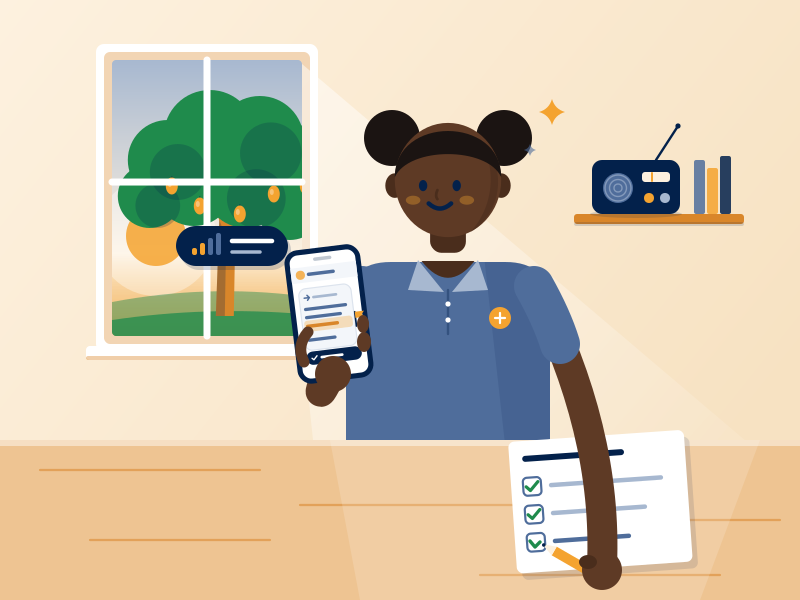
Try it together · 5 minutes · free
Can your child spot when AI gets it wrong?
This is a real AI Explorers lab, cut down to five minutes, and it works on a phone. Write your own answer first. Then see if you can catch the AI making a mistake: one of its sentences is wrong.
What you type stays on this device. Nothing is saved or sent.
The situation: A WhatsApp message says your bank account is blocked and asks for your PIN.
Step 1 of 4 · Think first- 02
- 03
- 04
No AI and no searching. Two minutes. A guess counts, and so does “not sure”.
0 words · only you can see thisWhat they make · week 8 capstone
Not a certificate of attendance. A project they can explain.
Explorers don’t build an app yet; that is AI Thinkers. They design one properly: defining the problem, choosing the data, setting the rules, planning a test, and identifying who it could harm. Here is a representative project, from start to finish.
What this shows you- They can turn a real problem at home into something a machine could check.
- They know what data it needs, and what is missing from it.
- They test their own idea and report where it fails.
- They say what AI did and what they did.
What you see as a parent
You don’t just get access. You know how they’re doing.
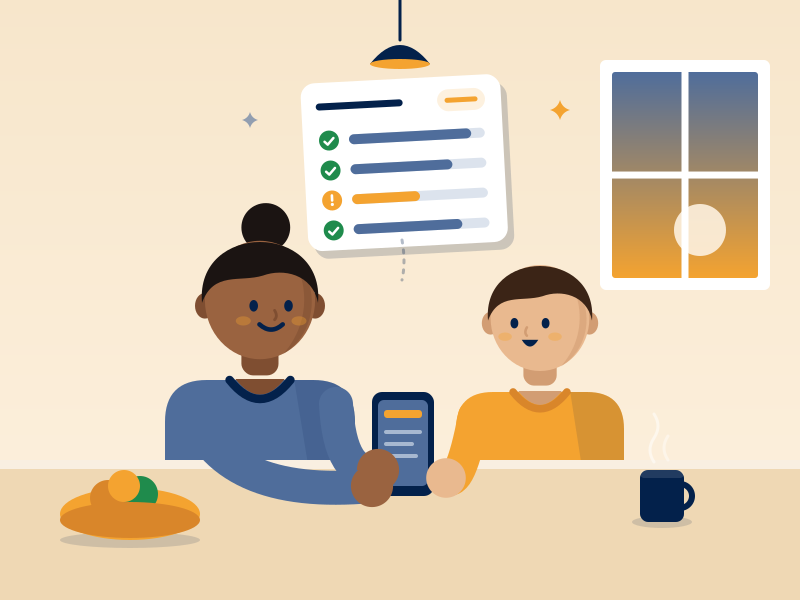
Halfway through, you get a check-in. Every lab comes back with written feedback. At the end, a report on what your child can do, not just what they clicked.
Why it’s different
Free courses have content. We add a person.
There’s plenty of free AI material. What it can’t do is notice when your child stopped submitting labs in week four, and follow up. A facilitator does, and stays with the cohort all eight weeks.
- Facilitator has taught or tutored young people for at least 2 years.
- Provides a criminal record extract (extrait de casier judiciaire), before meeting a single learner.
- Is trained in the Think-First method and our feedback rubric, and observed teaching before running a cohort alone.
- Is introduced to your family by name when your cohort is formed, and reads every lab.
A comparison of learning models, not of any one provider. Plenty of free material is good. Use it alongside.
What they’ll explore
Four chapters. Eight weeks. One idea of their own.
Each week: about two hours of lessons, a five-question quiz (70% to pass, unlimited retakes) and a hands-on homework lab. Expect 3 to 4 hours of independent work. The two office hours are optional extra support.
-
Chapter 1 · Weeks 1 and 2
Decode AI
What AI is, what it isn’t, and how it learns from data.
See the weeks
Week 1, What AI Is, and Isn’t. Lab: interview an adult at home about where AI is already used around you.
Week 2, How AI Learns: Data and Patterns. Lab: keep a one-day data diary and count every data point you create.
-
Chapter 2 · Weeks 3 and 4
Watch It Work
How AI decides, from loan apps to crop forecasts, and where it already runs their world.
See the weeks
Week 3, Instructions, Logic, and Decisions. Lab: design a decision tree for a real choice in your own life.
Week 4, AI in the Real World. Lab: research one AI tool used in Cameroon: who built it, who it helps, what it risks.
-
Chapter 3 · Weeks 5 to 7
Challenge AI
Scams, privacy, fairness, fakes, and how to tell when AI is wrong.
See the weeks
Week 5, Digital Safety and Responsible Use. Lab: audit your own digital footprint and change one thing.
Week 6, Bias, Fairness, and Ethics. Lab: analyse an AI system you use for who it might treat unfairly.
Week 7, Evaluating AI: Critical Thinking in Practice. Lab: check three AI answers against sources you trust, and explain which ones held up.
-
Chapter 4 · Week 8
Create With Purpose
Design a responsible AI concept for a real problem in their community, and present it.
See the capstone
They pick a real problem, decide what data an AI would need, check who it could harm, and present the concept. The facilitator writes individual feedback on every one. See a full sample capstone
What’s included
Everything they need to explore. Everything you need to stay involved.
One week in AI Explorers
- 01LearnShort lessons, on the phone, whenever suits. About two hours.
- 02PracticeA guided lab in the AI Sandbox, built around a real situation
- 03Get feedbackThe facilitator reads the lab and writes back within the week.
- 04Ask questionsTwo optional one-hour office hours, live. Skip them and read the summary.
Enrollment · Cameroon
Their AI future starts with understanding it.
A real person twice a week, someone who reads their work, and a report for you at the end.
Program fee
50,000 FCFAOne payment, fixed for this cohort, including twelve months of NuScienta. No automatic renewal.
- Eligible for a refund within the first two weeks
- Siblings: 10% off the second and third child
- Pay by MTN MoMo, Orange Money or card
- Paying from abroad? Card works anywhere
Safety and privacy
Built for children. Every step, every detail.
- Designed around children’s privacy. Built to Cameroon’s Law No. 2024/017 of 23 December 2024 on the protection of personal data.
- You hold the account. A parent or guardian signs up and consents for every learner under 18.
- A guarded sandbox. Filtered models, no personal details requested, and a session history you can see.
- A closed, moderated forum. Cohort members only, no private messages between learners.
- No ads, no data sales. Read our children’s privacy notice for exactly what we collect and why.
Questions parents ask
Do they need a laptop?
A smartphone is enough to start. A tablet or laptop makes quizzes and labs easier. Lessons play in low resolution by default to save data, and office hours work with the camera off. They need a stable 3G, 4G or WiFi connection; there’s no offline mode.
Who is the facilitator?
Each cohort has one named facilitator, introduced to your family when the cohort is formed. Every facilitator is background-checked, runs the office hours and reads every lab.
Will my child be on camera?
Only if they choose. Learner cameras are optional and off by default, microphones stay muted unless the facilitator invites someone to speak, and the chat is moderated. Office hours are never recorded.
Will an 11-year-old be in the same class as a 17-year-old?
Yes. Each class is ages 11 to 17, taught together. Lessons and labs are written so every age can do them well, and the facilitator moderates every discussion.
When are the office hours?
Twice a week, one hour each: Wednesdays 18:00 and Saturdays 11:00 WAT. They’re optional extra support: the course itself takes about 3 to 4 hours a week.
What if they miss one?
Office hours aren’t recorded, to protect learners’ privacy. The facilitator posts a written summary in the cohort forum after each one.
I live abroad and pay for my own child at home.
Choose the country your child lives in and pay by card from anywhere. The cohort, schedule and price follow your child.
Is there a limit on the AI Sandbox?
Each enrollment includes 25 guided sessions of up to about 15 minutes, enough for every lab. More can be added if they want to keep exploring.
Is there financial help?
We’re raising the first scholarship fund now; no places are funded yet. Join the scholarship list and you’ll be reviewed first when they are.
Can I pay for a grandchild, niece or nephew?
Yes. Choose the country the child lives in and pay by card from anywhere. We send their parent or guardian the link to give consent and set up the account, and hold the place meanwhile. We remind them twice; if they haven’t accepted by the refund deadline, you get a full refund. The parent decides whether you see the end-of-program report.
How does the refund work?
Ask within the first two weeks of the cohort and we refund the full fee to the way you paid. No questions.
Not in Cameroon?
AI Explorers runs across Africa, North America and Europe. Find your country.
The NuScienta Youth pathway
Three levels, starting with Explorers. Each ends with work they can share.
Eight weeks. One child who checks before they trust.
Questions? Talk to us. For updates and new cohort dates, follow NuScienta on WhatsApp.
NuScienta AI Explorers · Ages 11 to 17 · {{countryName}}
Your child already uses AI.
Nobody taught them how it works.
Eight weeks to understand AI and learn how to use it without letting it do the thinking for them. Live office hours twice a week, labs they actually do, and a facilitator who reads every one. No coding. A smartphone is enough to start.
- Cohort 2 starts 18 January 2027
- {{ohChip}}
- {{payShort}}
- 3 to 4 hours a week
- Parent report at the end
- Eligible for a refund within the first two weeks
See it first:Try a 5-minute labA learner’s projectA parent check-in
Try it together · 5 minutes · free
Can your child spot when AI gets it wrong?
This is a real AI Explorers lab, cut down to five minutes, and it works on a phone. Write your own answer first. Then see if you can catch the AI making a mistake: one of its sentences is wrong.
What you type stays on this device. Nothing is saved or sent.
The situation: {{tSituation}}
{{tProgress}}- {{d.num}}
{{tAIQ}}
{{f.verdict}} {{f.text}}
No AI and no searching. Two minutes. A guess counts, and so does “not sure”.
{{tDraftCount}}It sounds sure of every line. One of them is wrong. Tap the one you’d check first.
{{f.verdict}} {{f.text}}
{{tDraftShow}}
{{tDraftNote}}What this shows: {{tLesson}}
{{tDraftShow}}
Added after checking: {{tKeptText}}
How I used AI: {{tCredit}}
- {{m.label}}
- {{m.label}} (next time)
Parents: the free Parent Briefing is five short emails, each with one thing like this to try at home. Get the Parent Briefing
What they make · week 8 capstone
Not a certificate of attendance. A project they can explain.
Explorers don’t build an app yet; that is AI Thinkers. They design one properly: defining the problem, choosing the data, setting the rules, planning a test, and identifying who it could harm. Here is a representative project, from start to finish.
What this shows you- They can turn a real problem at home into something a machine could check.
- They know what data it needs, and what is missing from it.
- They test their own idea and report where it fails.
- They say what AI did and what they did.
What you see as a parent
You don’t just get access. You know how they’re doing.
Halfway through, you get a check-in. Every lab comes back with written feedback. At the end, a report on what your child can do, not just what they clicked.
Why it’s different
Free courses have content. We add a person.
There’s plenty of free AI material. What it can’t do is notice when your child stopped submitting labs in week four, and follow up. A facilitator does, and stays with the cohort all eight weeks.
- Facilitator has taught or tutored young people for at least 2 years.
- {{checkLine}}, before meeting a single learner.
- Is trained in the Think-First method and our feedback rubric, and observed teaching before running a cohort alone.
- Is introduced to your family by name when your cohort is formed, and reads every lab.
A comparison of learning models, not of any one provider. Plenty of free material is good. Use it alongside.
What they’ll explore
Four chapters. Eight weeks. One idea of their own.
Each week: about two hours of lessons, a five-question quiz (70% to pass, unlimited retakes) and a hands-on homework lab. Expect 3 to 4 hours of independent work. The two office hours are optional extra support.
-
Chapter 1 · Weeks 1 and 2
Decode AI
What AI is, what it isn’t, and how it learns from data.
See the weeks
Week 1, What AI Is, and Isn’t. Lab: interview an adult at home about where AI is already used around you.
Week 2, How AI Learns: Data and Patterns. Lab: keep a one-day data diary and count every data point you create.
-
Chapter 2 · Weeks 3 and 4
Watch It Work
How AI decides, from loan apps to crop forecasts, and where it already runs their world.
See the weeks
Week 3, Instructions, Logic, and Decisions. Lab: design a decision tree for a real choice in your own life.
Week 4, AI in the Real World. Lab: research one AI tool used in {{countryName}}: who built it, who it helps, what it risks.
-
Chapter 3 · Weeks 5 to 7
Challenge AI
Scams, privacy, fairness, fakes, and how to tell when AI is wrong.
See the weeks
Week 5, Digital Safety and Responsible Use. Lab: audit your own digital footprint and change one thing.
Week 6, Bias, Fairness, and Ethics. Lab: analyse an AI system you use for who it might treat unfairly.
Week 7, Evaluating AI: Critical Thinking in Practice. Lab: check three AI answers against sources you trust, and explain which ones held up.
-
Chapter 4 · Week 8
Create With Purpose
Design a responsible AI concept for a real problem in their community, and present it.
See the capstone
They pick a real problem, decide what data an AI would need, check who it could harm, and present the concept. The facilitator writes individual feedback on every one. See a full sample capstone
Built against real standards
Not a collection of ChatGPT tips.
AI Explorers is mapped to UNESCO’s AI Competency Framework for Students and the OECD-European Commission AI Literacy Framework (2026). Mapped, not endorsed: neither organization certifies courses.
What’s included
Everything they need to explore. Everything you need to stay involved.
One week in AI Explorers
- 01LearnShort lessons, on the phone, whenever suits. About two hours.
- 02PracticeA guided lab in the AI Sandbox, built around a real situation
- 03Get feedbackThe facilitator reads the lab and writes back within the week.
- 04Ask questionsTwo optional one-hour office hours, live. Skip them and read the summary.
Enrollment · {{countryName}}
Their AI future starts with understanding it.
A real person twice a week, someone who reads their work, and a report for you at the end.
Program fee
{{price}}{{priceSub}}
- Eligible for a refund within the first two weeks
- Siblings: 10% off the second and third child
- {{pay}}
- Paying from abroad? Card works anywhere
Safety and privacy
Built for children. Every step, every detail.
- Designed around children’s privacy. {{legalLine}}
- You hold the account. A parent or guardian signs up and consents for every learner under 18.
- A guarded sandbox. Filtered models, no personal details requested, and a session history you can see.
- A closed, moderated forum. Cohort members only, no private messages between learners.
- No ads, no data sales. Read our children’s privacy notice for exactly what we collect and why.
Questions parents ask
Do they need a laptop?
A smartphone is enough to start. A tablet or laptop makes quizzes and labs easier. Lessons play in low resolution by default to save data, and office hours work with the camera off. They need a stable 3G, 4G or WiFi connection; there’s no offline mode.
Who is the facilitator?
Each cohort has one named facilitator, introduced to your family when the cohort is formed. Every facilitator is background-checked, runs the office hours and reads every lab.
Will my child be on camera?
Only if they choose. Learner cameras are optional and off by default, microphones stay muted unless the facilitator invites someone to speak, and the chat is moderated. Office hours are never recorded.
Will an 11-year-old be in the same class as a 17-year-old?
Yes. Each class is ages 11 to 17, taught together. Lessons and labs are written so every age can do them well, and the facilitator moderates every discussion.
When are the office hours?
Twice a week, one hour each: {{oh}}. They’re optional extra support: the course itself takes about 3 to 4 hours a week.
What if they miss one?
Office hours aren’t recorded, to protect learners’ privacy. The facilitator posts a written summary in the cohort forum after each one.
I live abroad and pay for my own child at home.
Choose the country your child lives in and pay by card from anywhere. The cohort, schedule and price follow your child.
Is there a limit on the AI Sandbox?
Each enrollment includes 25 guided sessions of up to about 15 minutes, enough for every lab. More can be added if they want to keep exploring.
Is there financial help?
We’re raising the first scholarship fund now; no places are funded yet. Join the scholarship list and you’ll be reviewed first when they are.
Can I pay for a grandchild, niece or nephew?
Yes. Choose the country the child lives in and pay by card from anywhere. We send their parent or guardian the link to give consent and set up the account, and hold the place meanwhile. We remind them twice; if they haven’t accepted by the refund deadline, you get a full refund. The parent decides whether you see the end-of-program report.
How does the refund work?
Ask within the first two weeks of the cohort and we refund the full fee to the way you paid. No questions.
Not in {{countryName}}?
AI Explorers runs across Africa, North America and Europe. Find your country.
The NuScienta Youth pathway
Three levels, starting with Explorers. Each ends with work they can share.
Eight weeks. One child who checks before they trust.
Questions? Talk to us. For updates and new cohort dates, follow NuScienta on WhatsApp.